There is a few ways to add a wallet. Option #1 The Dashboard Tab and Option #2 The Wallets Tab:
Option #1 The Dashboard Tab
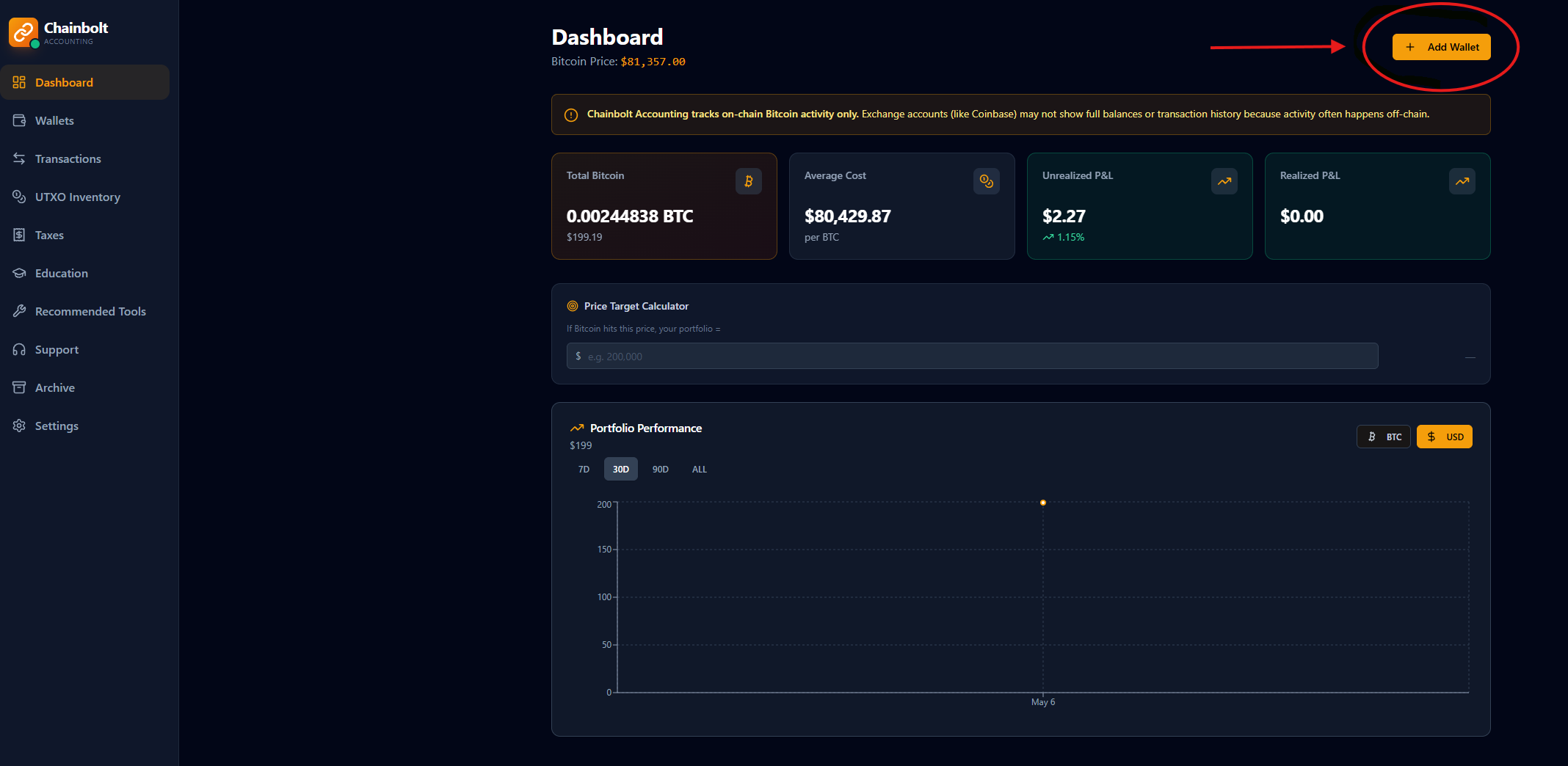
Click Add Wallet
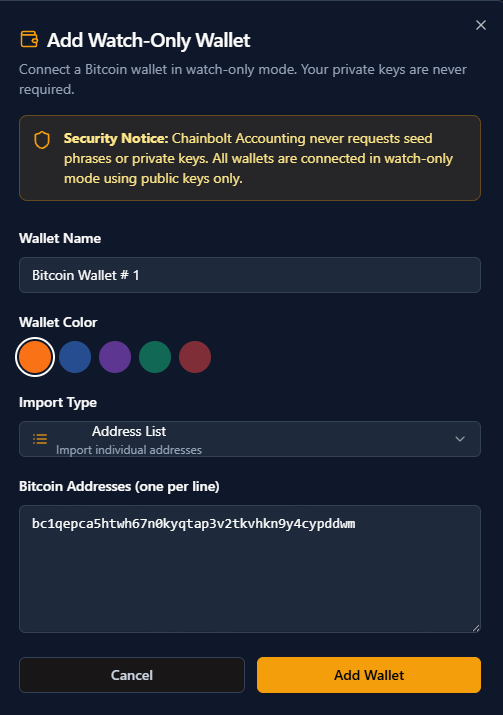
Select your type of address, Name, Assign color & customize. Then click Add Wallet one more time.
You will get 2 small notifications : adding wallet & Wallet added successfully.
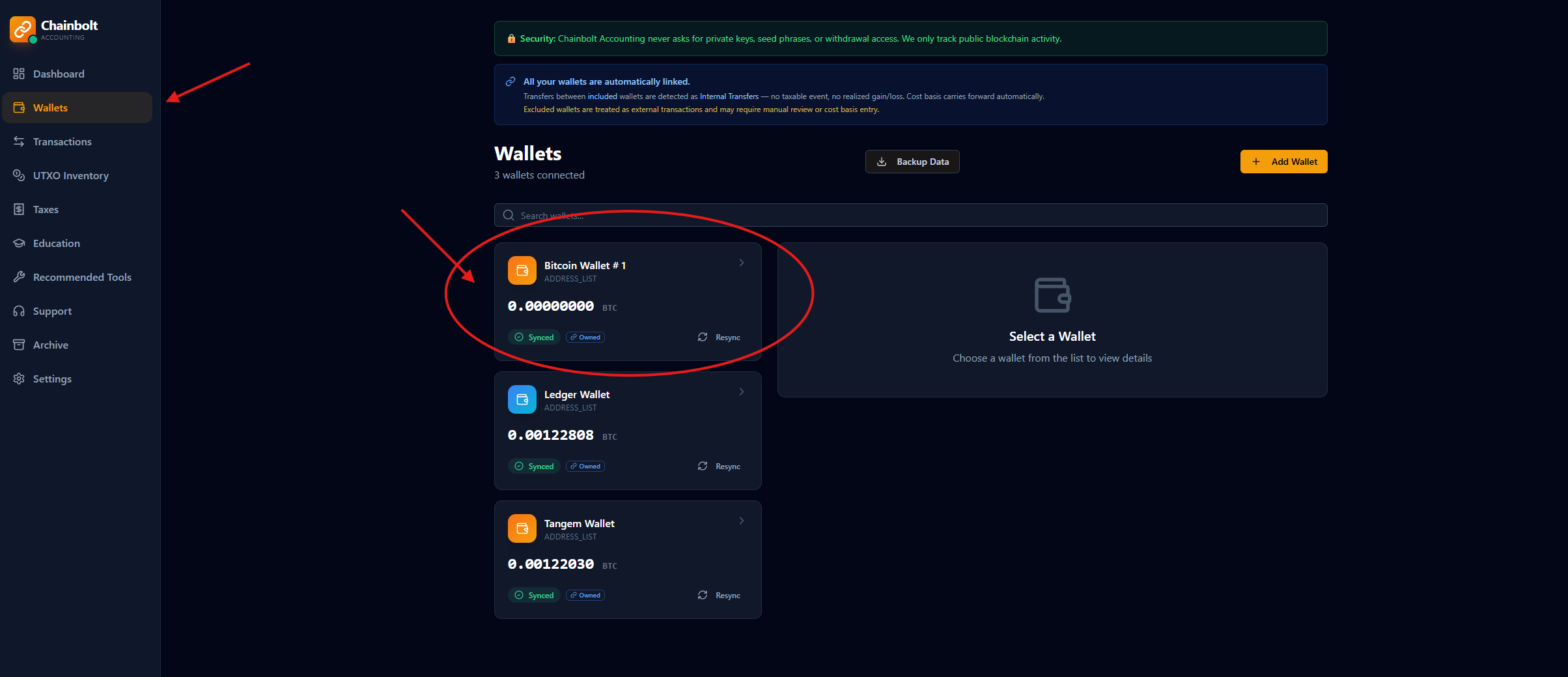
Navigate to the Wallets tab: And you should see your wallet there.
If you click on it you will see all transactions, UTXO's and even add new addresses to it if you like creating multiple addresses in your wallet.
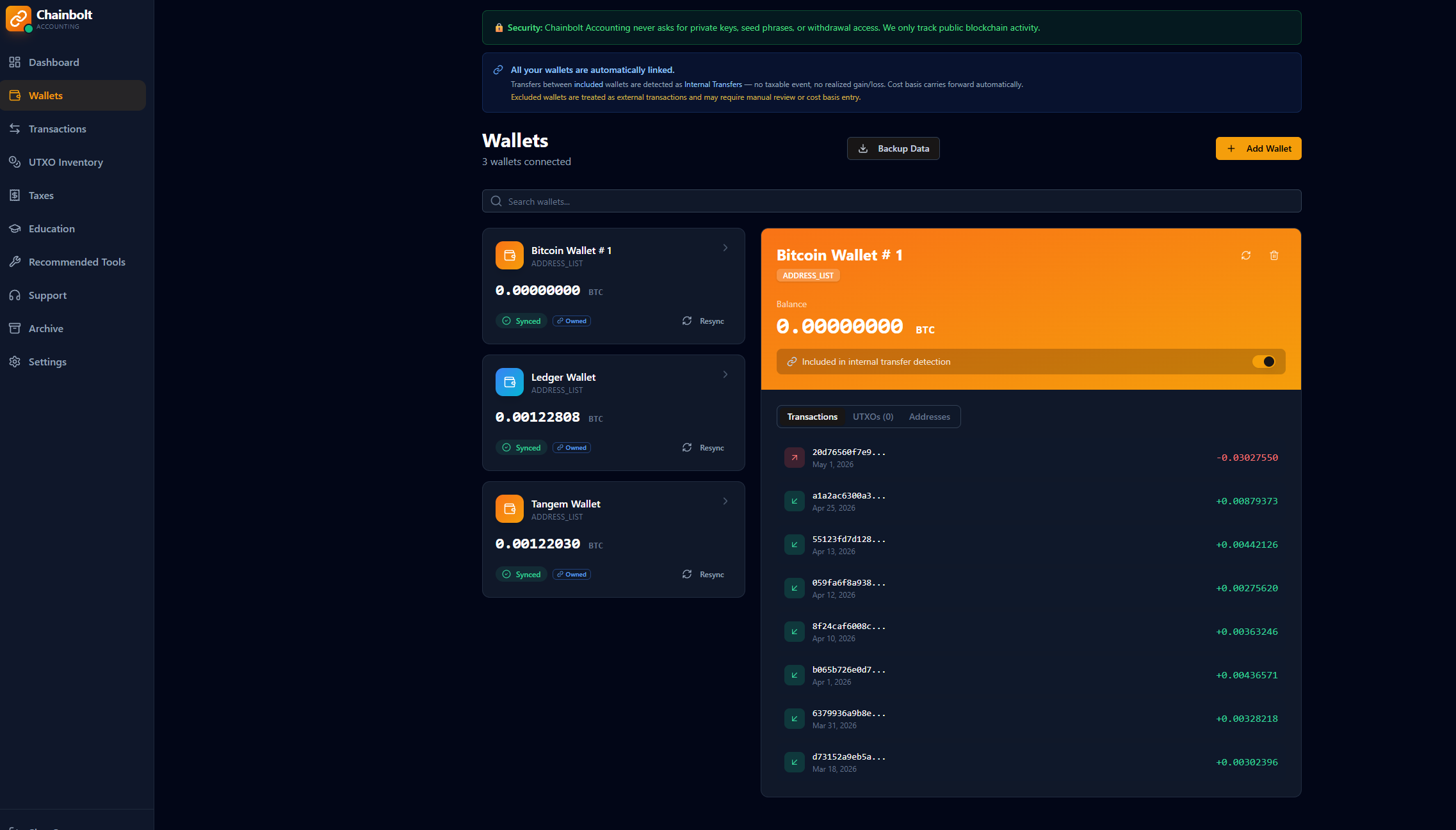
You can also add wallets directly from the Wallets tab.
Option #2 The Wallets Tab
Click add Wallet in the Wallets tab:
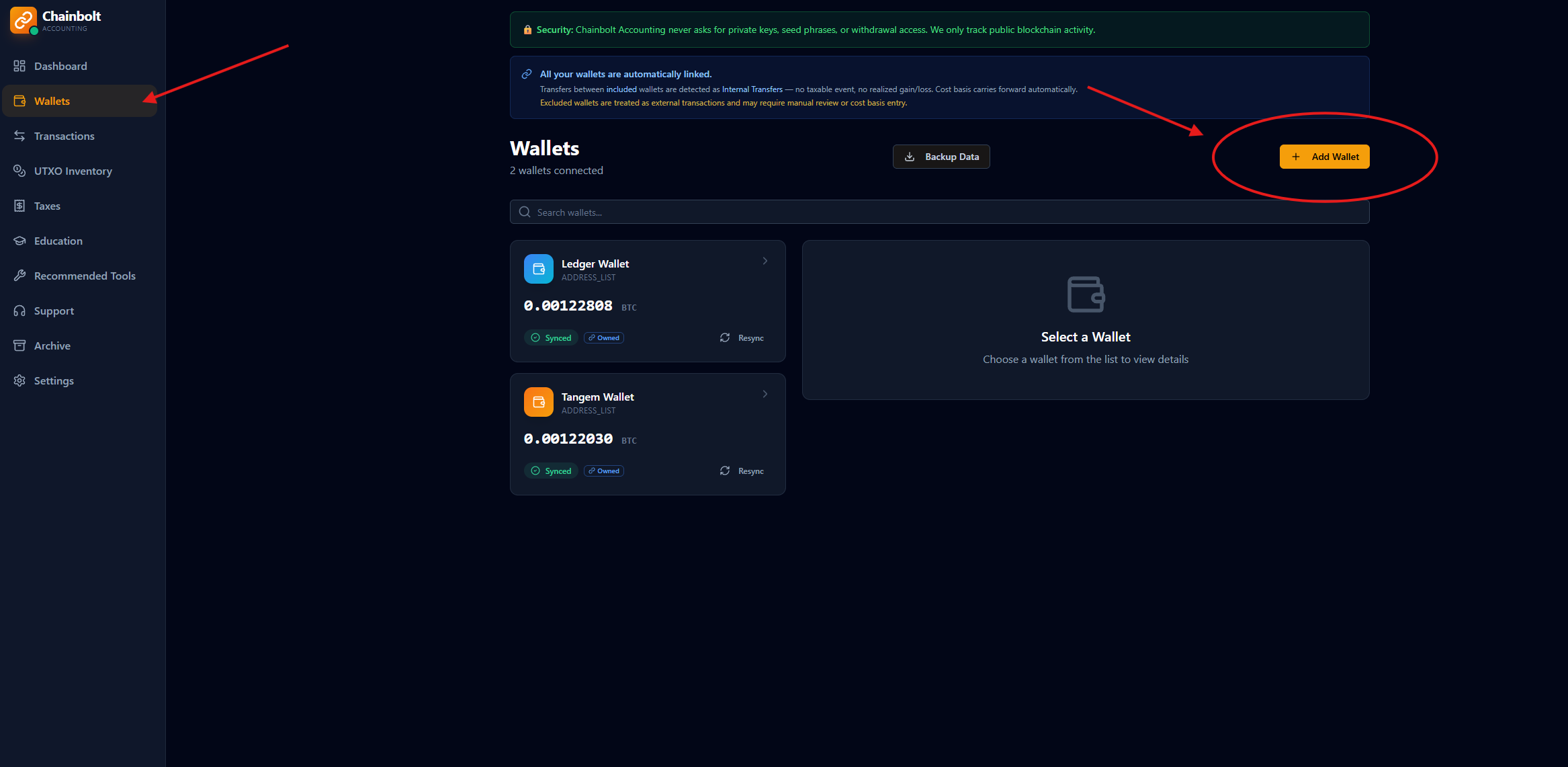
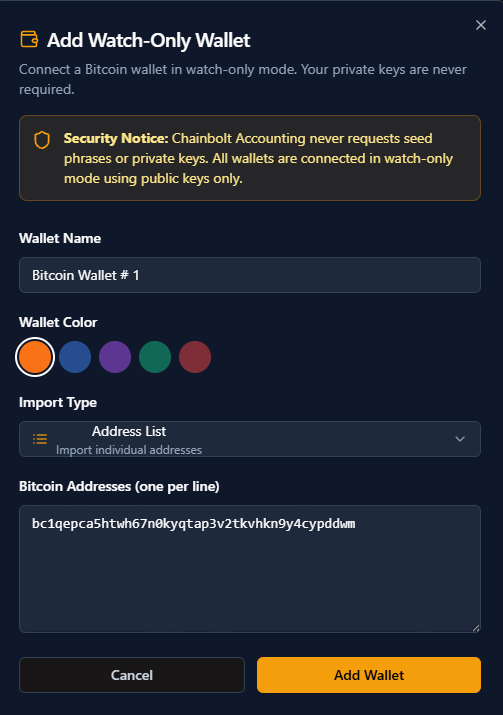
Follow the same process we discussed earlier: Name, color and public bitcoin address remember we will never ask for your private keys.
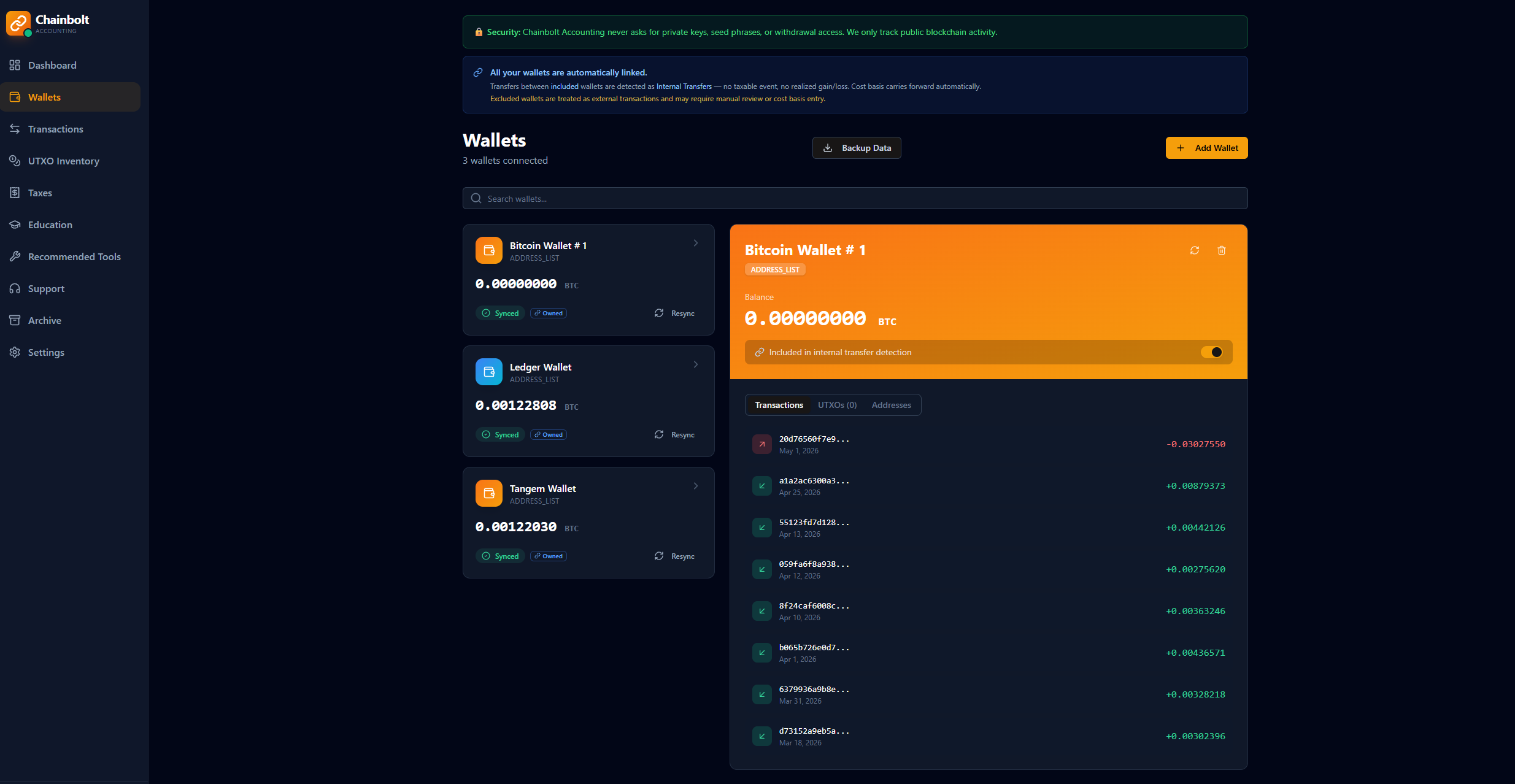
Wallets are automatically linked for internal transfer detection.
If you want to unlink wallets Go to the wallet and turn of the Include in internal Transfer detection.

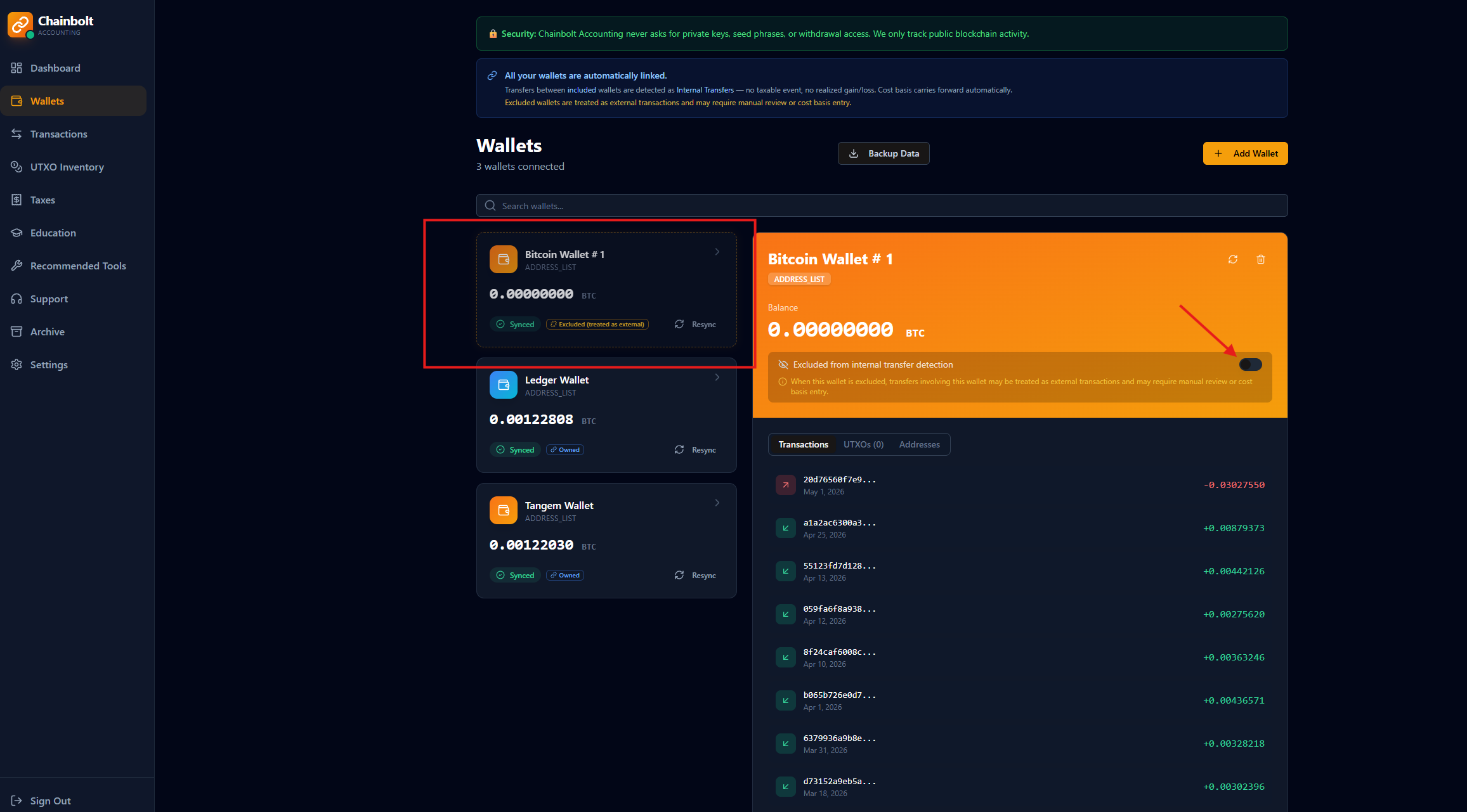
The wallet when it unlinks it will turn opaque and you will see an orange border that will let you know it's unlinked.
Incorrect wallet linking configuration may impact transaction classification and reporting accuracy.
Common Issues
Wallet not syncing
- Verify address is valid
- Ensure blockchain activity exists
- Wait 1–2 minutes for indexing
Invalid address error
- Check formatting
- Remove extra spaces
Was this article helpful?
That’s Great!
Thank you for your feedback
Sorry! We couldn't be helpful
Thank you for your feedback
Feedback sent
We appreciate your effort and will try to fix the article